THE RING x ISRAELI HIGH TECH — CLEARWATER, FL — APRIL 2, 2026
AI Tools Night

THE RING x ISRAELI HIGH TECH — CLEARWATER, FL — APRIL 2, 2026
Started as a robotics engineer in Israel. Founded Metadata.io in 2015 — raised $47M, 6 patents in AI marketing. Now I spend every day building real products with AI tools. Not theory — production apps with real users and real revenue.





















The AI Agent That Does Everything
Give it a goal. It opens a browser, writes code, deploys websites, handles payments, domains, hosting — everything. No terminal. No coding. Just describe what you want in plain English.
72 hours from idea to production
“Build a complete SaaS marketing website with hero section, pricing table, feature grid, testimonials, and a working contact form. Use modern design with gradients.”
“Create an online store selling handmade candles. Product catalog with filters, shopping cart, checkout flow with Stripe, order confirmation emails.”
“Build a personal portfolio for a UX designer. Project gallery with case studies, about page, resume download, and a contact form. Minimal, elegant.”
“Build a marketing analytics dashboard showing campaign performance: line charts for traffic, bar charts for conversions, KPI cards, date range picker, dark theme.”
“Create a blog platform with markdown editor, categories, tags, search, RSS feed, and SEO-optimized pages. Clean typography, reading time estimates.”
“Build a Calendly-style booking app. Calendar view, available time slots, booking confirmation with email, timezone support, admin panel to manage appointments.”
“Create a CRM for a small sales team. Contact list, deal pipeline with drag-and-drop stages, activity log, notes per contact, CSV import/export.”
“Build an interactive quiz app for a fitness brand. 10 questions about health goals, personalized results page with product recommendations, email capture.”
“Build a meal planning app with recipe search, weekly meal planner with drag-and-drop, auto-generated shopping list, nutritional info, and save favorites.”
“Create an event landing page for a tech meetup. Countdown timer, speaker bios, agenda timeline, venue map, registration with Luma integration, sponsor logos.”
App Store (iOS)
manus.im (Web)
Free tier: 1,000 starter + 300 daily credits — 300 credits is roughly one project. Pro: $20/mo for 4,000 credits.
Your AI Coding Co-Pilot in the Terminal
Most sophisticated AI coding tool available. You tell it what to do — it does it start to finish. Reads your entire local codebase. Edits files, runs tests, deploys. Not a self-driving autonomous agent — you drive, it builds.
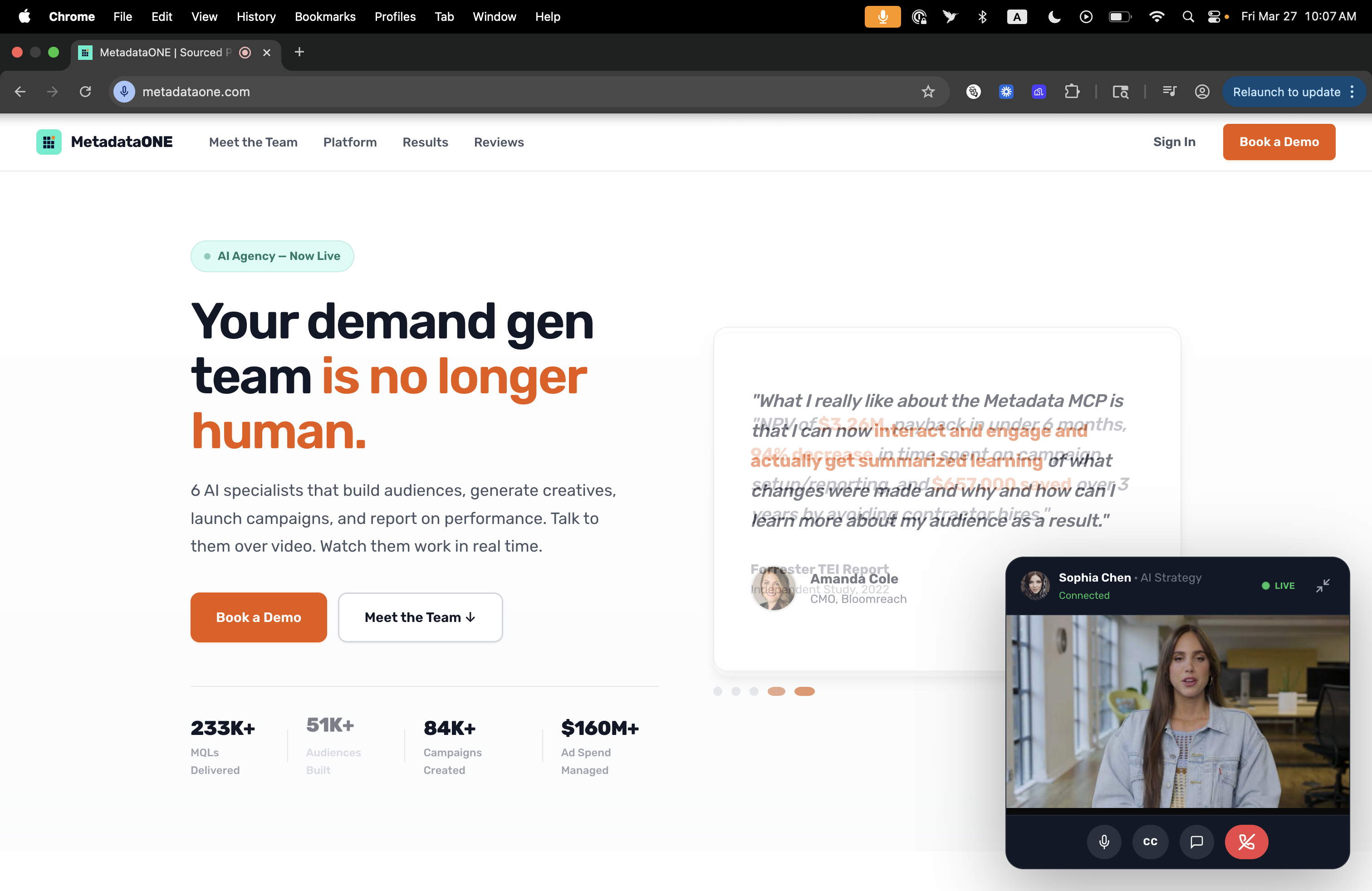
Custom website with AI avatar, email collection, A/B testing
I want you to help me build a brand new, modern marketing website.

## STEP 1: INTERVIEW ME FIRST
Before writing any code, ask me these questions ONE AT A TIME. Wait for my answer before asking the next:

1. What is your company or product name?
2. What does your company do? (one paragraph is fine)
3. Who is your ideal customer? (industry, role, company size)
4. What is your current website URL? (I want you to analyze it)
5. What are 3 competitor websites I should study?
6. What is your brand color? (hex code, or describe it and I'll pick)
7. Do you have a logo file or URL?
8. What domain will this site live on?
9. What is your primary CTA? (e.g., "Book a Demo", "Start Free Trial", "Get Started")
10. Any specific features you want? (pricing page, blog, integrations page, etc.)

## STEP 2: RESEARCH & COMPETITIVE ANALYSIS
Once I answer the questions above:

- Go to my CURRENT website and analyze every page: messaging, structure, what works, what doesn't
- Visit all 3 competitor sites and take notes on: headlines, page structure, CTAs, social proof patterns, pricing presentation
- Identify the 5 best practices across all competitors
- Note what my current site is MISSING that competitors do well
- Create a brief (2-3 paragraphs) positioning recommendation before building

## STEP 3: INFORMATION ARCHITECTURE
Plan the full site structure before writing any code:

### Required Pages & Sections:
**Homepage (single page, long scroll):**
1. HERO — Bold headline (max 8 words), subheadline (1 sentence), primary CTA button, secondary text link, social proof bar (customer logos or stats like "Trusted by 500+ companies")
2. PROBLEM — 3-column layout showing the pain points your customers face. Use their language, not yours.
3. SOLUTION — How your product solves each pain point. Mirror the 3 problems above.
4. FEATURES — 6 feature cards in a 3x2 grid. Each has: icon, title, 2-sentence description. Make them scannable.
5. HOW IT WORKS — 3 numbered steps with illustrations or icons. Keep it dead simple.
6. SOCIAL PROOF — Customer testimonials (3 cards with photo, name, title, company, quote). If I don't have real ones, create placeholder structure I can fill in later.
7. INTEGRATIONS/PARTNERS — Logo grid of tools or platforms you integrate with
8. PRICING — 3-tier table (Starter / Pro / Enterprise). Feature comparison rows. "Most Popular" badge on middle tier. Enterprise = "Contact Sales"
9. FAQ — Accordion with 8-10 questions. Include: pricing, security, onboarding, support, data, integrations
10. FINAL CTA — Full-width section with headline, subheadline, CTA button, and a trust element (security badge, SOC2, etc.)
11. FOOTER — 4-column layout: Product links, Company links, Resources, Legal. Plus social icons and copyright.

### Additional Pages (separate HTML files):
- /about — Team section, company story, mission, values
- /pricing — Detailed pricing with comparison table and FAQ
- /blog — Blog listing page with category filters (can be placeholder)
- /contact — Contact form + office location + calendly embed

## STEP 4: INTERACTIVE FEATURES

### A. AI Video Avatar Widget (bottom-right corner)
Build a "FaceTime-style" floating video widget:
- Small circular avatar photo in bottom-right corner
- On click, expands to a video chat-like interface
- Integrates with HeyGen Streaming Avatar API (I'll provide the API key separately — for now, build the UI shell)
- The avatar should be able to: greet visitors, answer product questions, guide them to the right page
- Include a text chat input below the video
- Minimize/close button
- Pulsing "glow" animation when idle to attract attention
- Name the avatar character (e.g., "Sophia" or "Alex")

### B. Inline WYSIWYG Editor
- When URL contains ?admin=true, enable edit mode
- Any text element on the page becomes editable on click
- Show a subtle blue outline on hover to indicate editable elements
- Save all changes to localStorage
- On page load, apply any saved edits from localStorage
- Add a floating admin toolbar: "Editing Mode ON" indicator, "Reset All" button, "Export Changes" button (downloads a JSON of all edits)
- This lets me update copy without touching code

### C. A/B Testing Engine
- Create 2 versions of: hero headline, hero subheadline, CTA button text
- On first visit, randomly assign visitor to variant A or B (store in localStorage)
- Track: scroll depth, time on page, CTA clicks
- Build a simple admin dashboard at /admin showing:
  - Total visitors per variant
  - Average scroll depth per variant
  - CTA click rate per variant
  - Which variant is winning
  - "Statistical significance" indicator

### D. Announcement Bar
- Sticky top bar with dismissible message (e.g., "New: We just launched X — Learn more →")
- Cookie to remember dismissal

## STEP 5: DESIGN SYSTEM

### Typography:
- Headlines: 'Sora' (Google Fonts), weight 600-800
- Body: 'Inter' (Google Fonts), weight 300-600
- Code/Labels: 'JetBrains Mono', weight 400-700
- Base size: 16px, scale: 1.25 (minor third)

### Colors (adapt to my brand color):
- Primary accent: [my brand color]
- Text: #1a1a2e (near-black)
- Body text: #4a4a5a
- Light backgrounds: #f8f6f1 (warm) or #f9fafb (cool)
- Surface cards: white with subtle shadow
- Success: #22c55e
- Warning: #eab308
- Error: #ef4444

### Layout Rules:
- Max content width: 1200px, centered
- Section padding: 80px top/bottom on desktop, 48px on mobile
- Card border-radius: 12px
- Button border-radius: 8px
- Shadows: 0 2px 8px rgba(0,0,0,0.04) for cards, 0 8px 32px rgba(0,0,0,0.12) for modals
- Generous whitespace — when in doubt, add more space

### Animations:
- Fade-in-up on scroll (IntersectionObserver, 20px translate, 0.5s ease)
- Stagger children with CSS custom property --delay
- Hover effects: translateY(-2px) + shadow increase on cards
- Smooth scroll between sections
- NO heavy animations, NO parallax, NO autoplay video backgrounds

## STEP 6: TECHNICAL REQUIREMENTS

### Stack:
- Pure HTML, CSS, JS — NO frameworks, NO build step, NO npm
- Mobile-first responsive: test at 375px, 768px, 1024px, 1440px
- Lighthouse score target: 95+ across all categories
- Semantic HTML5 (header, main, section, article, footer, nav)
- CSS custom properties for all colors and sizes
- Single CSS file, single JS file (keep under 500 lines each — split if needed)

### SEO:
- Proper meta tags: title, description, og:image, og:title, og:description
- Structured data (JSON-LD) for Organization
- Sitemap.xml
- robots.txt
- Canonical URLs
- Alt text on all images

### Performance:
- No images over 200KB
- Lazy load below-fold images
- Preload critical fonts
- Minimize render-blocking resources
- Use system font stack as fallback

### Deployment:
- Give me a single rsync command to deploy to my server
- Include a simple deploy.sh script
- Add cache-busting query params on CSS/JS files

## STEP 7: STYLE DIRECTION
- Clean, sophisticated, premium feel — NOT generic "startup template"
- No stock photography — use gradients, geometric shapes, and icons
- Alternate between light and dark sections for visual rhythm
- Every section should look like it was designed by a real agency
- Take inspiration from: linear.app, vercel.com, stripe.com
- Make it look like a $50K agency website, not a template

## IMPORTANT NOTES
- Do NOT use any placeholder text like "Lorem ipsum"
- Write REAL copy based on what you learned about my company
- Do NOT hardcode any API keys
- If you need to reference environment variables, use comments like: /* TODO: Add HeyGen API key */
- Build incrementally: start with the homepage, get my feedback, then add additional pages
- After each major section, show me what you built and ask for feedback before continuing
Create your avatar in HeyGen (upload photo or record 2-min video)
Clone your voice in ElevenLabs (record 30 seconds)
Write video scripts with Claude (match brand tone)
Use HeyGen MCP server to generate videos programmatically
One prompt → fully produced video with your face and voice
Distribute across LinkedIn, email sequences, landing pages
A/B test thumbnails and hooks (short-form < 60s wins)
Result: one startup got 18M views from a single AI video post
Click to play ↑
“I don’t always get his accent right…”
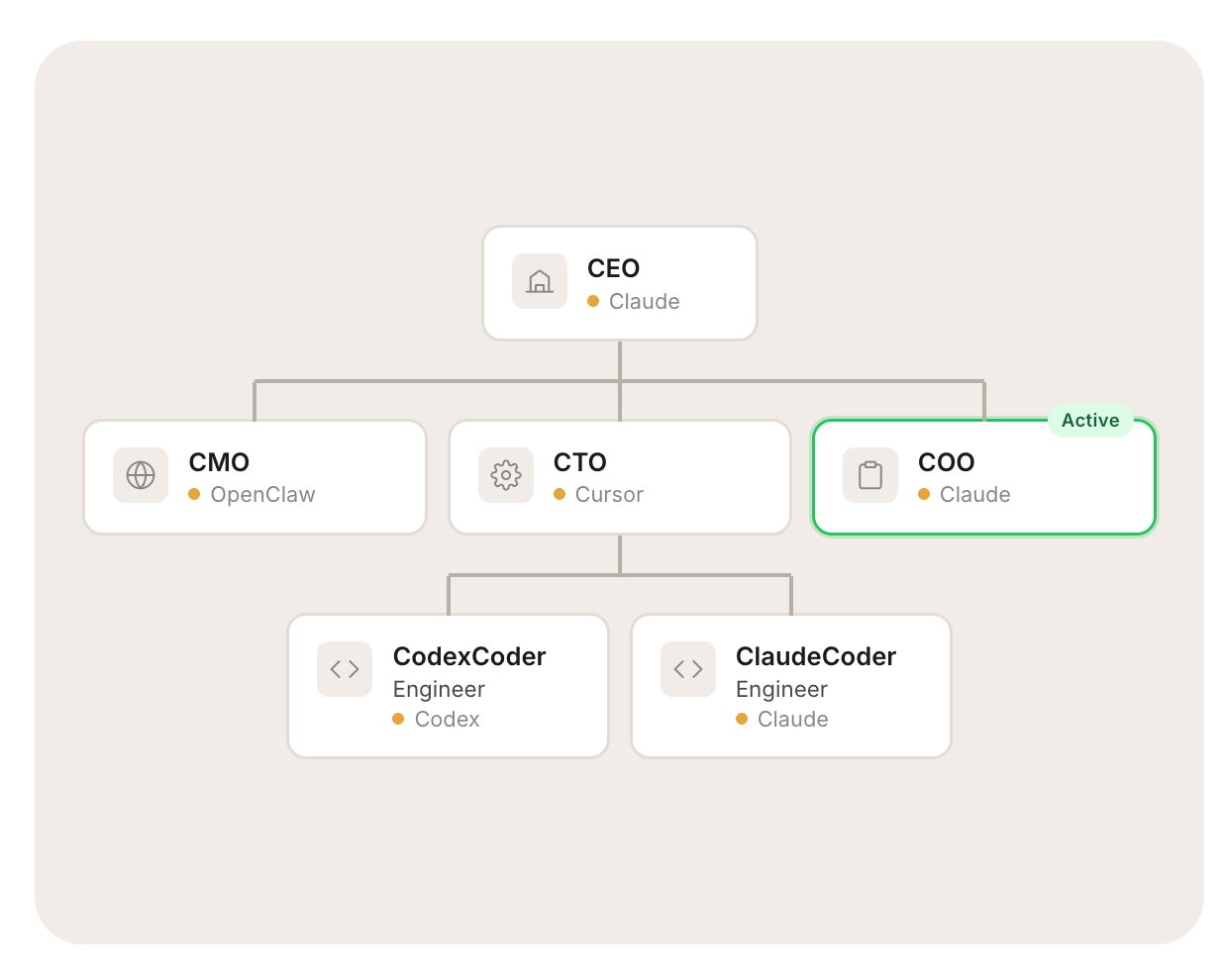
Source: AI company org structure — each role filled by an autonomous agent
metadataone.com